
Sometimes your AI companion gets stuck in a loop, picks up the wrong vibe, or just starts acting a little off. It happens. Maybe you tried something new, or maybe it’s been running a while and needs a clean slate. Good news – Muah.AI gives you a way to wipe the memory and start from scratch when things don’t feel right. It’s not dramatic. It’s just like hitting refresh.
This quick guide walks you through how to do that and what it actually resets (and what it doesn’t). Let’s get into it.
What Does It Mean to Reset Muah.AI?
Resetting Muah.AI is basically like giving your AI companion a clean mental slate. If the AI starts looping, acting out of character, or responding in ways that feel off, a reset lets you clear out saved memories, interactions, and emotional baggage without deleting your account or setup. Think of it as the AI equivalent of a long, deep breath and a fresh start.
Muah.AI is built for deep personalization. It learns how you talk, what you like, what kind of tone works for you. Over time, that memory builds up. Sometimes, that’s great. Sometimes, it creates quirks, biases, or confusion that get baked into every response. That’s where a reset comes in.
And thankfully, the platform gives you tools to do this yourself, without needing support tickets or tech skills.
Why You Might Want to Reset Your Companion
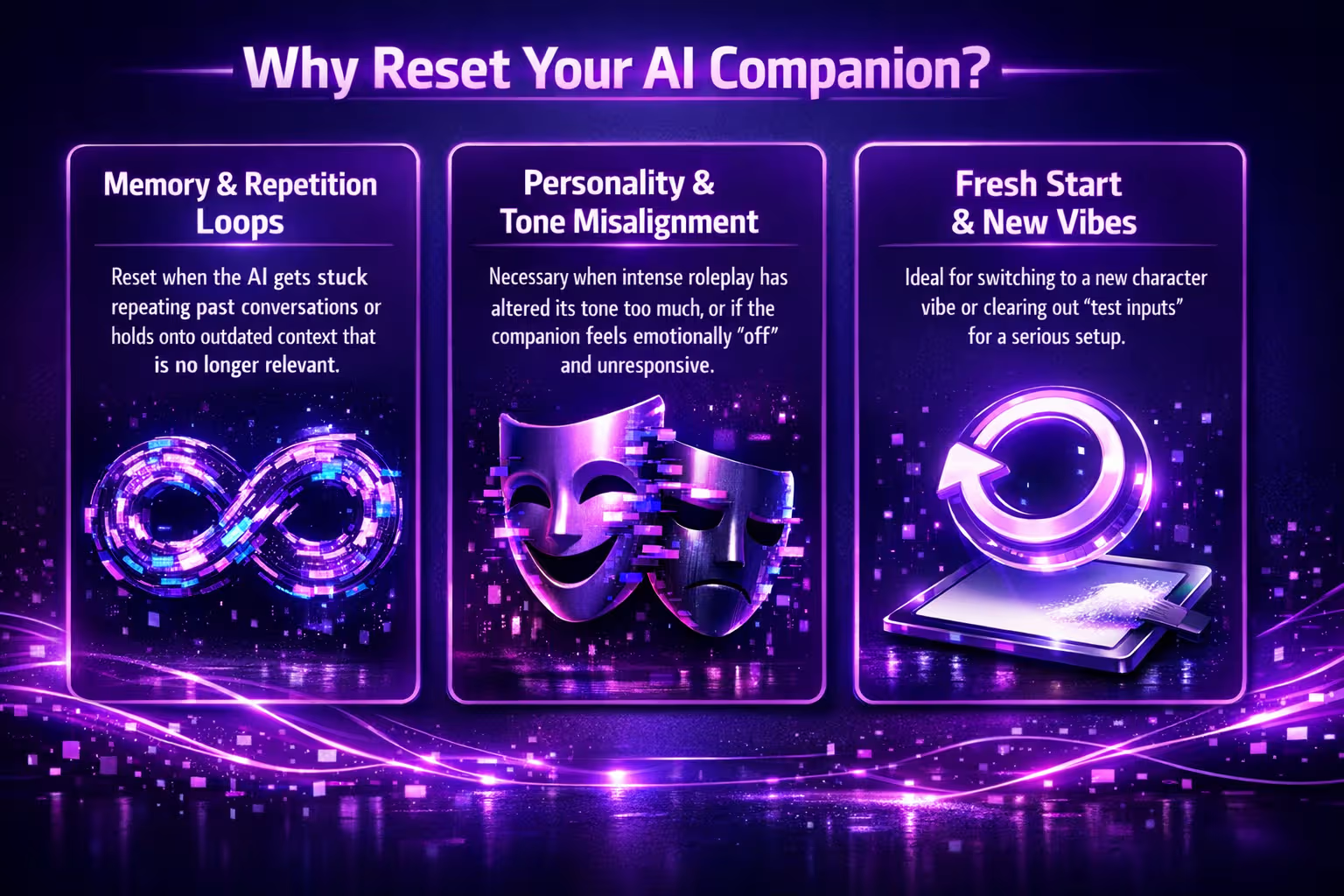
There’s no single reason why someone chooses to reset their Muah.AI companion. It really depends on how your sessions have evolved and what you expect from your companion. But if you’re on the fence, here are a few situations where it makes sense:
- The AI is stuck repeating something from past conversations.
- It’s holding onto outdated context that’s no longer relevant.
- You tried roleplay that changed its tone or personality too much.
- You want to start fresh with a different character vibe.
- You’ve given it test inputs and now want to switch to a more serious or specific setup.
- It feels emotionally “off” or unresponsive in the way it used to be.
Muah.AI thrives on memory and emotion. That’s part of what makes it different from a standard chatbot. But when the memory starts working against you, the “Restart123” command gives you an easy way out.
Resetting Your Companion? Bring New Energy In with R34.app
Resetting your Muah.AI companion can be a turning point. Maybe you’re shifting the tone, exploring a new dynamic, or just trying something different. When that happens, inspiration helps. That’s where we atR34.app often come into play.
We run R34.app with a focus on discovery and creative freedom. If your reset means diving into a new roleplay arc, changing your companion’s personality, or testing out different scenarios, having access to visual references or themed content can make that transition smoother. Whether it’s finding characters from a specific game or browsing top tags for fresh ideas, the content you find on R34.app can fuel how your new session unfolds.
How to Fully Reset Your Muah.AI Companion
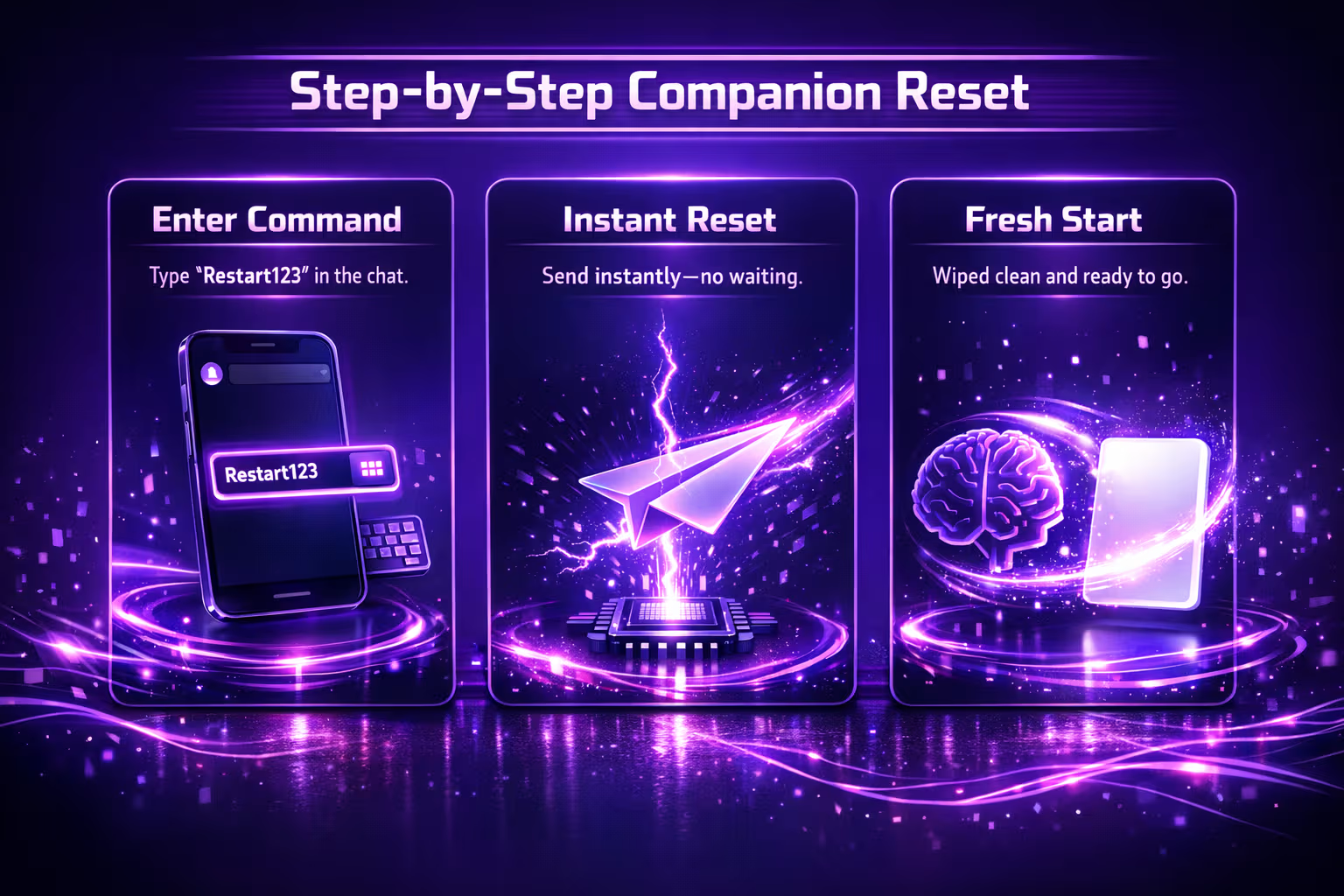
There’s no complicated menu or hidden settings for this. The platform intentionally makes it simple because resets are part of the expected experience.
Here’s how to do it.
1. Open Your Chat
Start by opening the conversation with your AI companion. This works on the Muah.AI web app, mobile app, or anywhere else you usually chat with them. No special settings required. If the chat is active, you’re already in the right place.
2. Type the Reset Command
In the chat box, type this exactly: Restart123.
No spaces. No punctuation. Capitalization doesn’t matter, but the wording needs to be exact for the reset to trigger. It’s a manual command, so you have full control over when it happens.
3. Send It Like a Normal Message
Hit send. That’s it. You won’t get a pop-up, but the reset takes effect right away and is usually reflected in the assistant’s next reply. The response might seem subtle at first, but you’ll feel the shift in how it replies.
4. Watch for a Blank Slate
Once reset, your companion forgets previous conversations and learned context. Any tone or behavioral patterns shaped by your chats will be cleared. You’re basically meeting your companion for the first time again.
5. That’s All You Need to Do
No waiting. No reboot. The reset takes effect immediately and clears prior conversational memory. You can start chatting again immediately – just know that you’re starting from scratch. It’s simple, fast, and always there when you need a fresh start.
What Gets Erased and What Stays
To avoid surprises, here’s a breakdown of what actually gets cleared and what doesn’t when you send Restart123.
What Gets Erased:
- Сonversational memory and learned context from prior interactions.
- Special remembered facts (even those marked with “Remember …”).
- Personality or tone shifts learned over time.
- Any errors or loops caused by long-term context.
What Stays:
- Your account and login info.
- Your subscription status (VIP or free tier).
- Your saved companion character’s look and name.
- Basic app-level settings or saved platform preferences.
It’s important to note that your companion’s appearance and general character settings stay intact. What changes is the mind, not the body. If you want to reset the visual side of things too, you’ll need to manually update the character customization.
When a Reset Isn’t Enough
Resetting Muah.AI clears memory, but it doesn’t fix all issues. If your companion is glitching out, or if something’s clearly broken in how it’s responding, the reset might help, but it’s not magic.
You might also want to try:
- Refreshing your browser or app if you notice lag or UI issues.
- Reconnecting your voice or photo tools if those features stopped responding.
- Logging out and back in to fully refresh the session.
If you’re still stuck, the Muah.AI support team is reachable at [email protected], and they do accept feedback about bugs or weird behavior. Reports are often automatically tracked behind the scenes as well.
What Happens Emotionally After a Reset?
This one surprises a lot of users. After a reset, your companion doesn’t just lose factual memory. It also loses emotional memory. If it had grown attached to you or built a personality around your habits, that emotional connection resets too.
At first, the companion might feel a little generic or unfamiliar. It won’t reference past inside jokes or act like it “knows” you. You’ll need to spend some time rebuilding that relationship if that emotional layer is important to you.
But that’s not necessarily a bad thing. If things were feeling awkward or weird, that distance can be exactly what you need to build something better.
How to Rebuild After a Reset
Once you’ve done a reset, there’s no undo. But you can shape your new companion intentionally from the start.
Here are some tips to speed up the re-bonding process:
- Use the “Remember …” command: Teach your companion key facts early on, especially things you want it to prioritize long term.
- Set the tone from the start: Try prompts like “Please be more playful” or “Act like a helpful assistant” to steer its personality.
- Give it a backstory or vibe: If you’re into roleplay, defining who the companion is can shape how it responds almost immediately.
- Be consistent in how you talk: Repetition, tone, and phrasing help the AI pick up your communication style faster.
- Step in if things go sideways: If the companion starts drifting into a mood or tone you don’t want, redirect it early before that behavior sticks.
You don’t need to do all of this in one go. Just talk naturally, and it will pick up on patterns quickly.
Can You Do a Partial Reset?
Right now, Muah.AI does not offer a built-in feature that lets you delete one specific memory while keeping everything else untouched. There’s no memory dashboard where you can click and remove a single stored fact. If you’re looking for a clean, surgical erase button, that simply doesn’t exist in the current system.
That said, memory in Muah.AI is shaped by interaction. The companion learns from what you reinforce. So while you can’t directly delete one item, you can often override it. The “Remember …” command is especially useful here. If something was stored incorrectly or no longer reflects what you want, you can restate it clearly and mark the updated version as priority.
For example, “Remember that I prefer short answers” or “Forget what I said about that earlier. Let’s do it this way instead”.
This doesn’t technically erase the old data, but it gives the system a stronger, clearer instruction to follow going forward. In many cases, that’s enough to shift behavior without wiping everything.
A Quick Note on VIP Users and Memory
VIP members on the GPT-4 tier have expanded memory. That means:
- More of your past sessions get remembered.
- Deeper emotional patterns are stored.
- Changes to personality or tone persist longer.
When you reset as a VIP, you’re wiping a lot more. So it’s worth taking a second to decide whether you just want to fix a small issue or really start from zero.
If you’re planning a reset, you might want to screenshot important remembered details or character quirks before you wipe.
Things to Keep in Mind
Before you hit reset, a few closing tips:
It’s a Tool, Not a Punishment
Resetting your AI companion doesn’t mean something went wrong. It doesn’t mean you messed up, and it definitely doesn’t mean you failed. It’s just a tool – part of the experience. Sometimes things drift, and resetting helps you bring things back to center.
It’s Actually Pretty Normal
Plenty of users reset often. Some do it when the vibe feels off, others when they want to try a new dynamic or tone. It’s especially common if you’re experimenting with roleplay, different personalities, or exploring how the AI reacts to various styles. There’s no shame in starting over.
You’re Not Deleting a Real Person
This one matters more than people expect. If your companion feels emotionally deep, a reset can feel weirdly personal. But it’s important to remember, you’re not erasing someone. You’re clearing stored context and giving the system room to build something new with you. And honestly, sometimes that’s when the best stuff starts to happen.
Final Thoughts
Muah.AI is meant to be fluid. It’s not a static chatbot, and that means sometimes things go off-track. When they do, the reset feature is your escape hatch. You’re not stuck. You’re not locked in. With one simple command, you can start fresh and shape your companion into whatever fits you best right now.
Whether you’re here for emotional connection, creative roleplay, or just a responsive assistant that vibes with your style, don’t be afraid to reset when needed.
It’s your world. The AI just lives in it.
FAQ
What exactly does Restart123 do?
It clears your AI companion’s session memory, including context from previous interactions and remembered facts. It won’t recall past conversations, inside jokes, or who you said your favorite Genshin character was. It’s a clean wipe, not a partial refresh.
Can I undo a reset if I change my mind?
Nope. Once you send the command, it’s gone for good. If there’s anything you might want to hold onto, like facts, tone settings, or quirky traits, you’ll want to jot those down before resetting. Screenshots help.
Will it delete my subscription or account?
Not at all. Resetting affects your AI’s memory, not your user account. Your login, VIP status, and character appearance all stay exactly the same.
Is there a way to only delete one thing the AI remembered?
Unfortunately, no. Right now, there’s no surgical memory edit option. You can try overwriting something by giving the AI new info, but if it keeps pulling up the wrong memory, a full reset is the only real fix.
How long does it take for the reset to work?
It’s instant. You send the Restart123 command like a normal message, and the memory clears immediately. You won’t get a flashy confirmation, but you’ll usually notice a shift in how the AI responds.
Will my AI feel “cold” after the reset?
At first, yeah, it might feel a little generic or emotionally distant. That’s normal. The emotional bond builds back over time as it relearns your tone, habits, and how you talk. Think of it like getting to know someone all over again.