
Quick Summary: Deleting a CrushOn AI account requires accessing account settings through the web platform, navigating to the delete option, and confirming permanent removal. The platform does not currently offer account deletion directly through mobile apps, so users must use a desktop browser to permanently remove your profile and associated data.
CrushOn AI has become a widely-used platform for AI relationship chatbots, allowing users to create and interact with animated characters. But sometimes users decide they no longer want their account active. Whether it’s privacy concerns, subscription management, or simply moving on from the platform, knowing how to properly delete your CrushOn account is essential.
The deletion process isn’t immediately obvious within the platform’s interface. Many users have reported confusion about where to find account removal options, particularly because the feature isn’t available through mobile apps.
Understanding CrushOn AI Account Types
Before attempting to delete your account, it helps to understand what you’re working with. CrushOn AI offers different subscription tiers, each with varying features and data storage.
| Account Type | Features | Data Stored |
|---|---|---|
| Free Account | Basic chat access, limited characters | Profile info, chat history |
| Premium Subscription | Unlimited chats, custom characters | Profile, extensive chat logs, created characters |
| Inactive Account | No active subscription | Retained profile and history |
According to Mozilla Foundation’s privacy review from February 7, 2024, CrushOn AI stores user data including profile information and conversation history. This makes proper account deletion particularly important for users concerned about their digital footprint.
Step-by-Step Account Deletion Process
Here’s the thing though — CrushOn AI doesn’t make account deletion readily accessible through their mobile interface. The process requires using a desktop browser.
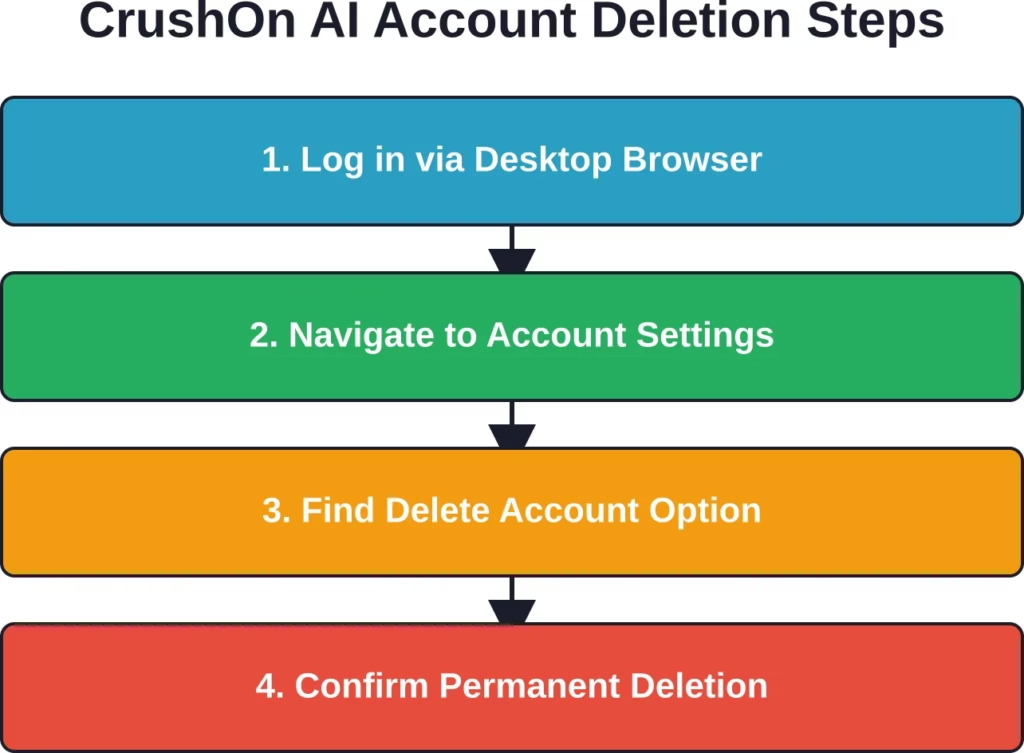
Start by opening crushon.ai in a desktop browser like Chrome, Firefox, or Safari. Mobile browsers and apps won’t provide access to the account deletion feature.
Once logged in, look for your profile icon in the bottom-left corner of the screen. Click it and select ‘Settings’ right next to edit profile to see the delete account option.
The settings menu contains various options for managing subscriptions, privacy settings, and account preferences. Scroll down until you locate the account management section.
Locating the Delete Option
Real talk: the delete account button isn’t prominently displayed. It’s usually found at the bottom of account settings, sometimes under an “Advanced” or “Security” submenu.
When you find it, the platform will typically display a warning about permanent data loss. This includes all chat history, created characters, and profile information.
What Happens After Deletion
Account deletion on CrushOn AI is permanent. Once confirmed, the platform removes access to your profile and begins the data deletion process.
Access to the platform is immediately revoked after confirming deletion. Any active subscription will be cancelled, though refunds typically aren’t provided for remaining subscription time.
Chat history, created characters, and profile data enter a deletion queue. The platform provides a 3-day grace period. You can cancel the deletion and return to normal use by logging into your CrushOn account within 3 days from the date you submitted the request. After 3 days, the deletion is successful and permanent.
Alternative: Deactivating Instead of Deleting
Some users prefer account deactivation over permanent deletion. The difference matters.
Deactivation temporarily disables your account while preserving data. This allows reactivation later if you change your mind. Deletion, however, is permanent — there’s no recovery option once the process completes.
CrushOn AI doesn’t prominently advertise a deactivation feature separate from deletion. If you want to preserve the option to return, consider simply cancelling any active subscription and leaving the account dormant rather than deleting it entirely.
Try a Different Platform as an Alternative with R34.app

Some users prefer a simpler browsing experience without managing accounts, chats, or saved conversations. R34.app makes it easier to keep browsing in one flow by keeping content connected and easier to move through.
With R34.app, everything feels smoother because:
- Browsing starts immediately without chat setup
- Related content stays linked together naturally
- Navigation works without switching between menus
- Exploration feels more continuous from one result to the next
👉Go to R34.app and browse without dealing with account systems.
Common Issues and Solutions
Users frequently encounter problems during the deletion process. Here are the most common ones:
| Issue | Cause | Solution |
|---|---|---|
| Can’t find delete option | Using mobile app/browser | Switch to desktop browser |
| Delete button greyed out | Active subscription | Cancel subscription first |
| Confirmation email not received | Email delivery delay | Check spam folder, wait 24 hours |
| Still receiving platform emails | Deletion processing time | Manually unsubscribe from emails |
If the delete option remains inaccessible after trying desktop browsers, clearing cache and cookies sometimes resolves interface issues. Logging out completely and back in can also refresh the settings menu.
Privacy Considerations Before Deletion
The Mozilla Foundation reviewed CrushOn AI’s privacy practices and raised concerns about data handling. Before deleting your account, consider downloading any data you want to preserve.
CrushOn AI, like many AI chatbot platforms, collects conversation data that may be used to improve AI models. While account deletion should remove your personal information, the platform’s privacy policy doesn’t explicitly detail how anonymized conversation data might be retained for training purposes.
For users particularly concerned about privacy, reviewing the platform’s current privacy policy before and after deletion provides clarity on data retention practices.
Frequently Asked Questions
Can I delete my CrushOn AI account from the mobile app?
No, the mobile app doesn’t currently include account deletion functionality. Account deletion must be performed through a desktop web browser by accessing the full version of the CrushOn AI website.
Will I get a refund if I delete my account mid-subscription?
Generally speaking, subscription platforms rarely provide prorated refunds for voluntary account deletion. Check CrushOn AI’s terms of service for their specific refund policy, but typically no refund is issued for remaining subscription time after account deletion.
How long does it take to completely delete a CrushOn AI account?
The platform provides a 3-day grace period. You can cancel the deletion and return to normal use by logging into your CrushOn account within 3 days from the date you submitted the request. After 3 days, the deletion is successful and permanent.
Can I recover my account after deleting it permanently?
No. Final account deletion on CrushOn AI is permanent and irreversible. Once the deletion process completes, all data including chat history, created characters, and profile information is permanently removed with no recovery option.
What happens to my custom AI characters when I delete my account?
Custom-created characters are permanently deleted along with your account. If these characters were shared publicly on the platform, they may remain accessible to other users until the platform removes them, but you lose ownership and access rights.
Do I need to cancel my subscription before deleting my account?
While not always required, cancelling active subscriptions before account deletion is recommended. Some platforms prevent deletion while subscriptions are active, and cancelling first ensures you won’t be charged for the next billing cycle.
Will CrushOn AI notify me before completing account deletion?
Most platforms send a confirmation email after requesting account deletion, sometimes with a grace period allowing cancellation of the deletion request. Check your email inbox and spam folder for communication from CrushOn AI after initiating deletion.
Final Thoughts
Deleting a CrushOn AI account requires navigating to desktop settings and confirming permanent removal. The process isn’t complicated once you know where to look, but the lack of mobile access and prominent placement can frustrate users.
Before deleting, weigh whether permanent removal or simple subscription cancellation better serves your needs. Permanent deletion offers complete data removal and privacy, while keeping a dormant account preserves the option to return later.
If privacy concerns drive your decision, account deletion combined with email unsubscription provides the cleanest break from the platform. Ready to delete your account? Open crushon.ai in a desktop browser and navigate to account settings to begin the process.