
OnlyFans has become one of the most popular platforms for content creators, offering a unique way to monetize exclusive content. If you’re thinking about starting an OnlyFans account, whether for sharing lifestyle content, adult material, or specialized content like fitness or art, this step-by-step guide will walk you through the entire process, ensuring you start off on the right foot.
What Is OnlyFans and Why Create an Account?
Before diving into the process of creating an OnlyFans account, it’s important to understand what the platform is all about and why so many creators are flocking to it. Launched in 2016, OnlyFans is a content subscription service that allows creators to share exclusive content with paying subscribers. The platform became especially famous in the adult industry but has since expanded to include a wide range of content types including fitness, cooking, photography, and more.
Benefits of Having an OnlyFans Account
- Direct Revenue Stream: Earn money directly from your subscribers by offering exclusive content.
- Complete Control: You have the freedom to choose what content to post, how often to post, and how much to charge for subscriptions.
- Flexible Work Environment: You can work from anywhere and have complete control over your schedule.
- Potential for Additional Income: Besides subscription fees, creators can earn through tips and pay-per-view (PPV) content.
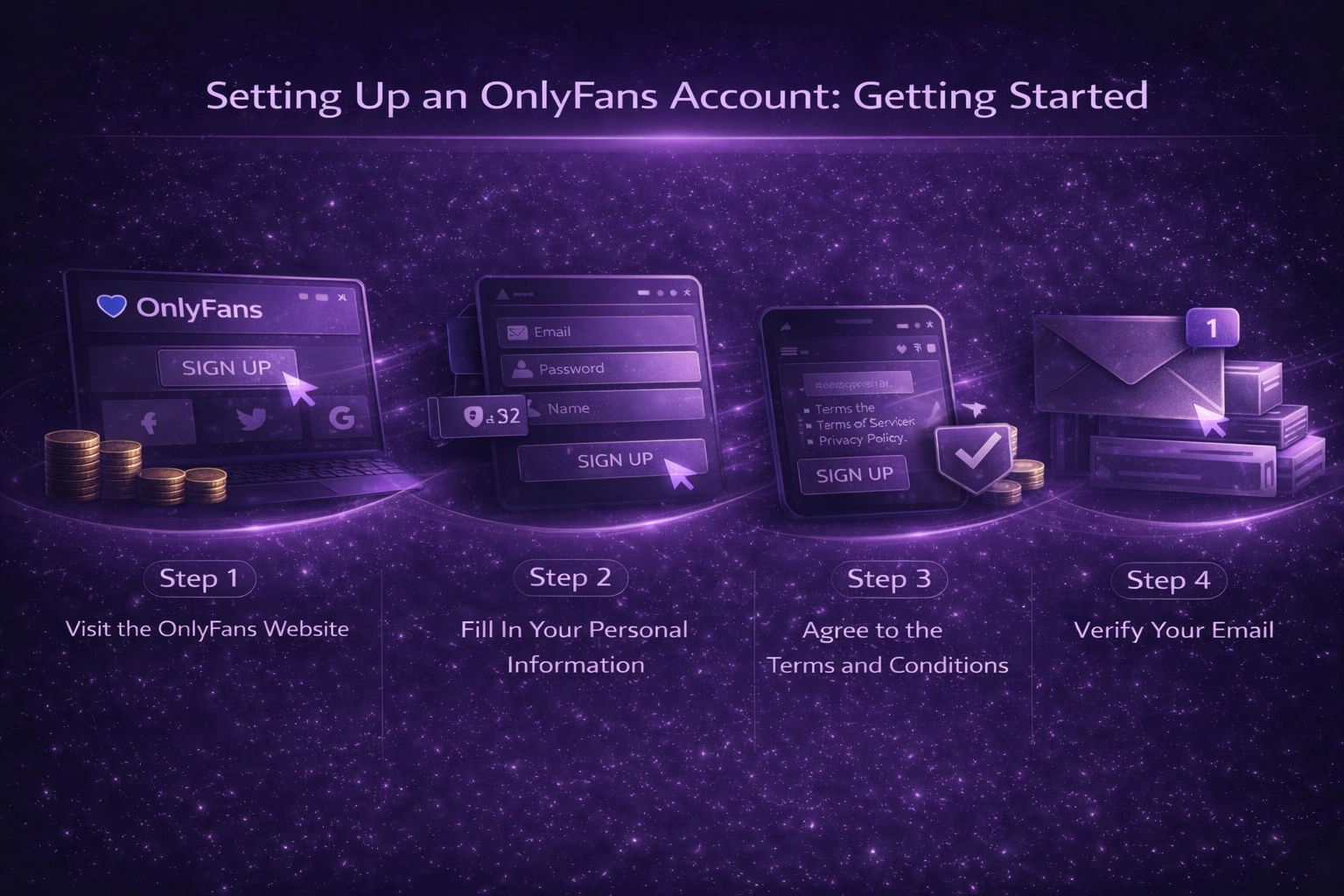
Setting Up an OnlyFans Account: Getting Started
Step 1: Visit the OnlyFans Website
Go to OnlyFans.com and click on the “Sign Up” button. You will be given the option to sign up using your email address, Twitter account, or Google account.
Step 2: Fill In Your Personal Information
If you choose to sign up with an email address, you’ll be prompted to enter:
- Email Address: Use a valid email that you have access to, as this will be required for verification and account management.
- Password: Create a secure password for your account.
- Name: You can either use your real name or a pseudonym depending on your privacy preferences.
Step 3: Agree to the Terms and Conditions
Before proceeding, ensure that you’ve read and accepted the platform’s terms of service and privacy policy. These documents outline your rights and responsibilities as a creator and a user.
Step 4: Verify Your Email
OnlyFans will send you a verification email to confirm your account. Check your inbox and click the verification link to proceed. If you don’t see it immediately, check your spam or junk folder.
Customizing Your Profile: Build Your Brand
Once your account is set up, the next step is to customize your profile to make it appealing to potential subscribers.
Step 1: Upload a Profile Picture and Cover Photo
Your profile picture is one of the first things people will notice. Choose a high-quality, eye-catching image that represents your brand or the type of content you will be offering. The cover photo, which sits at the top of your profile page, should be visually engaging and relevant to your niche.
Step 2: Write a Compelling Bio
Your bio is crucial in giving potential subscribers a reason to follow you. Be clear about the type of content they can expect. For example, if you’re offering fitness tips, state that in your bio. You should also consider adding your posting schedule so that subscribers know how frequently they’ll get new content.
Example of a Bio:
“Welcome to my OnlyFans! I’m here to offer exclusive content on healthy living, fitness routines, and nutritious meal plans. New content every Monday, Wednesday, and Friday!”
Step 3: Set Your Subscription Price
OnlyFans allows you to set a monthly subscription fee. The average subscription ranges between $5 to $50 per month, but this can vary depending on the type of content you offer and your audience’s willingness to pay.
It’s a good idea to start with a modest subscription fee and gradually increase it as your content and following grow.
Step 4: Add Links to Social Media
Cross-promotion is key to growing your OnlyFans account. Link your Instagram, Twitter, or other social media platforms to your OnlyFans profile to help drive traffic from one platform to another.
Verify Your Identity: OnlyFans Verification Process
Before you can start earning money on OnlyFans, you’ll need to verify your identity. OnlyFans has strict guidelines in place to ensure that creators are at least 18 years old and to prevent fraud.
Step 1: Submit Your Identification
You will be asked to upload a government-issued ID (passport, driver’s license, etc.). Make sure the ID is clear and valid, as this is crucial for account approval.
Step 2: Take a Selfie With Your ID
In addition to submitting your ID, OnlyFans requires you to take a selfie holding your ID next to your face. This step is meant to confirm that the ID belongs to you and to verify your identity.
Step 3: Wait for Approval
Once you’ve submitted your documents, it may take up to 72 hours for OnlyFans to verify your account. You will be notified via email once your account has been approved.
Setting Up Your Payment Information
To start receiving payments from your subscribers, you’ll need to set up a payout method. OnlyFans offers several ways to receive payments, including direct bank deposits and international transfer services like Paxum.
Step 1: Add Bank Account or Payment Method
Go to your account settings and choose “Add Bank” or “Add Payment Method.” Fill in your banking details, making sure to double-check everything for accuracy.
Step 2: Select a Payment Frequency
OnlyFans allows you to choose how frequently you want to receive payouts (weekly, monthly, etc.). You can also set a minimum payout threshold, meaning you won’t be paid until your account balance reaches a certain amount.
Step 3: Check Payout Fees
Keep in mind that OnlyFans takes a 20% commission on all earnings. It’s important to be aware of this when planning your subscription fees and financial goals.
Creating Content for OnlyFans
Now that your account is set up and verified, it’s time to start creating content. The type of content you produce will depend largely on your niche, but there are a few key elements that are important for success on OnlyFans.
Step 1: Decide on Your Content Strategy
Some popular types of content on OnlyFans include:
- Exclusive Photos and Videos: This can range from behind-the-scenes lifestyle content to more intimate or adult material.
- Live Streams: Interact with your subscribers in real-time through live streams.
- Pay-Per-View (PPV) Content: Offer premium content that subscribers must pay extra to access.
- Daily Posts: Keep your subscribers engaged by offering regular content updates.
- Q&A Sessions: Answer subscriber questions in video or written form.
Step 2: Keep Your Content Fresh and Consistent
To retain your subscribers and grow your fan base, it’s important to post regularly. Set a posting schedule (e.g., three times a week) and stick to it. Subscribers will appreciate consistency and are more likely to renew their subscriptions if they feel they are getting their money’s worth.
Step 3: Invest in High-Quality Equipment
While you don’t need professional-grade equipment to get started, high-quality photos and videos will help attract and retain subscribers. Consider investing in a good camera, lighting, and sound equipment.
Promoting Your OnlyFans Account
Promotion is key to growing your audience on OnlyFans. While the platform itself doesn’t have a strong discoverability feature, you can use external platforms to drive traffic.
Step 1: Use Social Media
Instagram, Twitter, and TikTok are popular platforms for promoting OnlyFans accounts. Share teasers of your content, post engaging updates, and interact with potential subscribers to build interest.
Step 2: Collaborate With Other Creators
Collaborating with other OnlyFans creators is a great way to gain exposure. By working together on content or shoutouts, you can tap into each other’s audiences and grow your fan base.
Step 3: Offer Promotions and Discounts
Offering limited-time discounts or free trials can entice potential subscribers to check out your content. You can do this through your OnlyFans settings by setting up special promotional offers.
Step 4: Use Hashtags and Keywords
When promoting on social media, use relevant hashtags to increase the visibility of your posts. Research which hashtags are most popular within your niche and use them strategically in your posts.

Interacting With Your Subscribers
Building a loyal fan base requires more than just posting content. Interacting with your subscribers on a personal level can help you retain them and even attract new followers through word-of-mouth.
Step 1: Respond to Messages
OnlyFans allows creators to send and receive messages from subscribers. Take the time to engage with your fans by responding to their messages or acknowledging their comments.
Step 2: Offer Personalized Content
Offering custom content for your top-paying subscribers or those who tip can make your subscribers feel valued and appreciated.
Step 3: Host Giveaways or Special Events
Hosting giveaways or special events like live Q&A sessions is a fun way to engage your subscribers and keep them coming back for more.
Legal and Privacy Considerations
While OnlyFans offers a flexible way to earn money, there are some legal and privacy aspects to consider before launching your account.
Step 1: Protect Your Privacy
If you’re concerned about privacy, consider using a pseudonym and avoid sharing personal details with your subscribers. Additionally, OnlyFans allows you to block specific regions or countries to prevent certain individuals from accessing your content.
Step 2: Understand Copyright Laws
Make sure that all the content you upload is your own or properly licensed. Violating copyright laws can result in fines or account termination.
Step 3: Be Aware of Local Regulations
Depending on where you live, there may be specific regulations regarding adult content or online work. Familiarize yourself with local laws to ensure that you’re operating within legal boundaries.
Tips for Success on OnlyFans
Starting an OnlyFans account is easy, but building a successful and sustainable business on the platform requires effort and strategy. Here are some tips to help you succeed:
- Be Consistent: Consistency is key. Regularly posting high-quality content will help retain subscribers.
- Engage With Your Audience: Respond to messages and engage with your subscribers on a personal level.
- Offer Variety: Keep your content fresh and varied to maintain interest.
- Market Yourself: Promote your OnlyFans account across social media platforms.
- Monitor Your Analytics: Use OnlyFans’ analytics to track your performance and see what type of content resonates most with your audience.
Conclusion
Creating an OnlyFans account is a straightforward process, but building a successful presence on the platform takes time, effort, and strategy. By following this guide, you’ll be well-equipped to set up a profile, verify your identity, create engaging content, and grow your subscriber base. Whether you’re looking to monetize your passion, offer exclusive content to a niche audience, or explore new revenue streams, OnlyFans provides a flexible and rewarding platform for creators of all kinds.
Key elements for success include maintaining consistency in your posting, interacting with your subscribers to foster loyalty, and promoting your account across social media platforms. It’s also important to ensure that your privacy is protected and that you understand the legal implications of your work.
In the rapidly growing digital content creation space, OnlyFans offers creators the chance to control their own brand, engage directly with fans, and earn income on their own terms. Now that you know how to create an OnlyFans account and succeed on the platform, you’re ready to launch your own account and start sharing your content with the world!