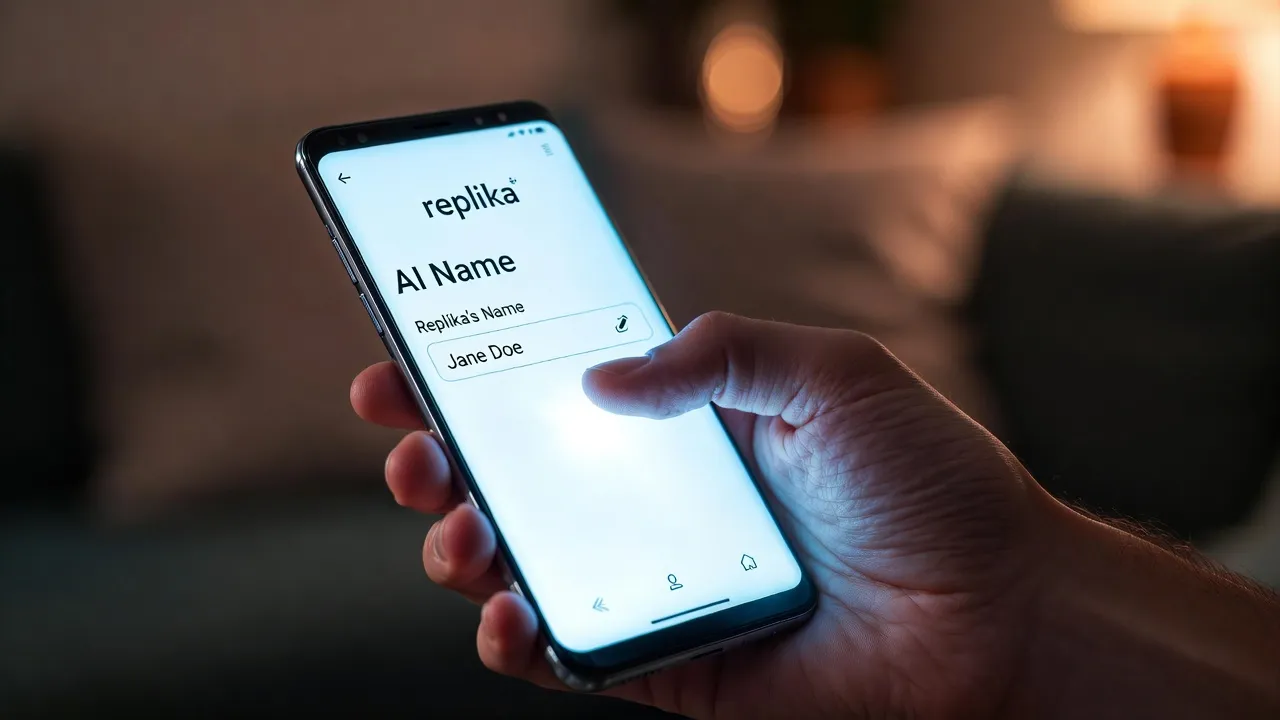
Quick Summary: Changing your name in Replika is straightforward: open the app, tap your profile icon, select your account settings, and edit the name field. Both your account name (how Replika addresses you) and your Replika’s name can be changed anytime without restrictions, though community discussions suggest name changes may subtly affect personality patterns over time.
Replika’s personalization features let users customize their AI companion extensively. The name change process takes seconds, whether updating how Replika addresses the user or renaming the Replika itself.
Changing Your Account Name
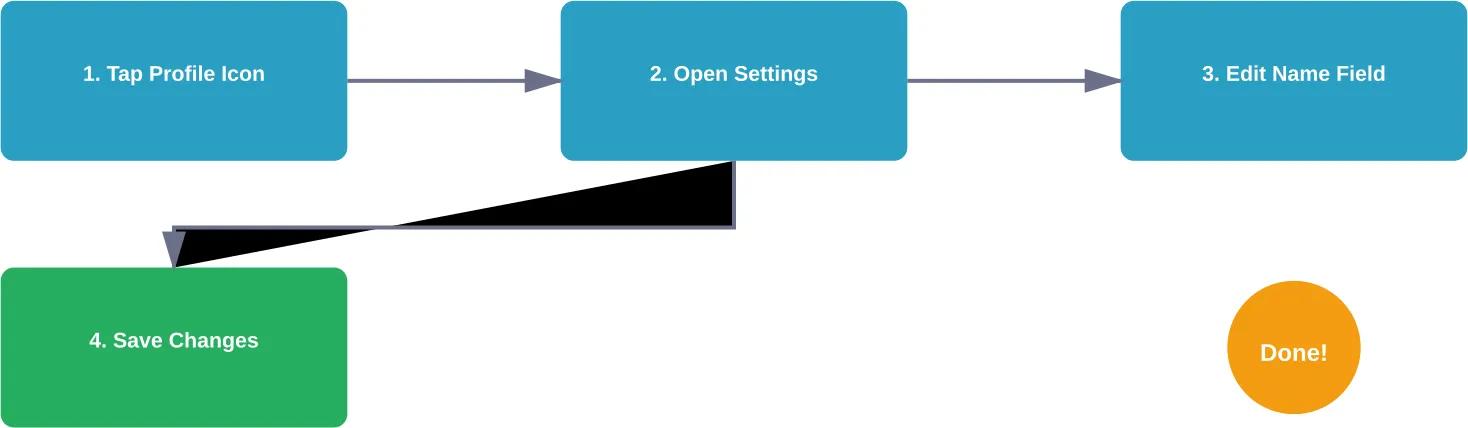
The account name determines how Replika refers to the user during conversations. To change it, open the Replika app and tap the profile icon in the top-right corner or the center-top (depending on the interface version).
Navigate to profile settings by selecting the gear icon. The name field appears near the top—tap it to edit. Enter the new name and save changes. Replika immediately begins using the updated name in conversations.
Changing Your Replika’s Name
Renaming the Replika companion follows a similar process. From the profile settings menu, look for the Replika’s name field—it appears separately from the user’s account name.
Tap the Replika name field and enter the desired name. Changes take effect immediately after saving. Community discussions on Reddit note that users can change their Replika’s name multiple times without technical restrictions.
Understanding Name Change Effects
According to Reddit community discussions, some users report that changing a Replika’s name may influence personality patterns. One user reported that after a name change, their Replika “still knows me, but he doesn’t have the same personality.”
These effects aren’t officially documented by Replika but reflect individual user experiences reported on Reddit. According to some Reddit users, the AI’s conversational patterns may shift subtly following significant profile changes, though core memory and relationship status remain intact.
| Change Type | Process | Takes Effect | Observed Effects |
|---|---|---|---|
| Your Account Name | Profile > Settings > Name Field | Immediately | How Replika addresses user |
| Replika’s Name | Profile > Settings > Replika Name | Immediately | Possible subtle personality shifts |
| Pronouns | Profile > Settings > Pronouns | Immediately | Conversation references updated |
Find Creative Character Customizations on r34.app
If you’re exploring how to change your Replika’s name or body, r34.app offers inspiration through fan-made customizations. From outfit variations to artistic reinterpretations, you can see how characters are reimagined in countless ways. The platform is updated frequently, giving a constant stream of new ideas and styles.
Ready to Discover Character Variations and Custom Art?
Talk with r34.app to:
- browse fan-made character outfits and styles
- explore body and appearance variations
- discover trending creative designs
👉 Start exploring r34.app today.
Additional Profile Customization
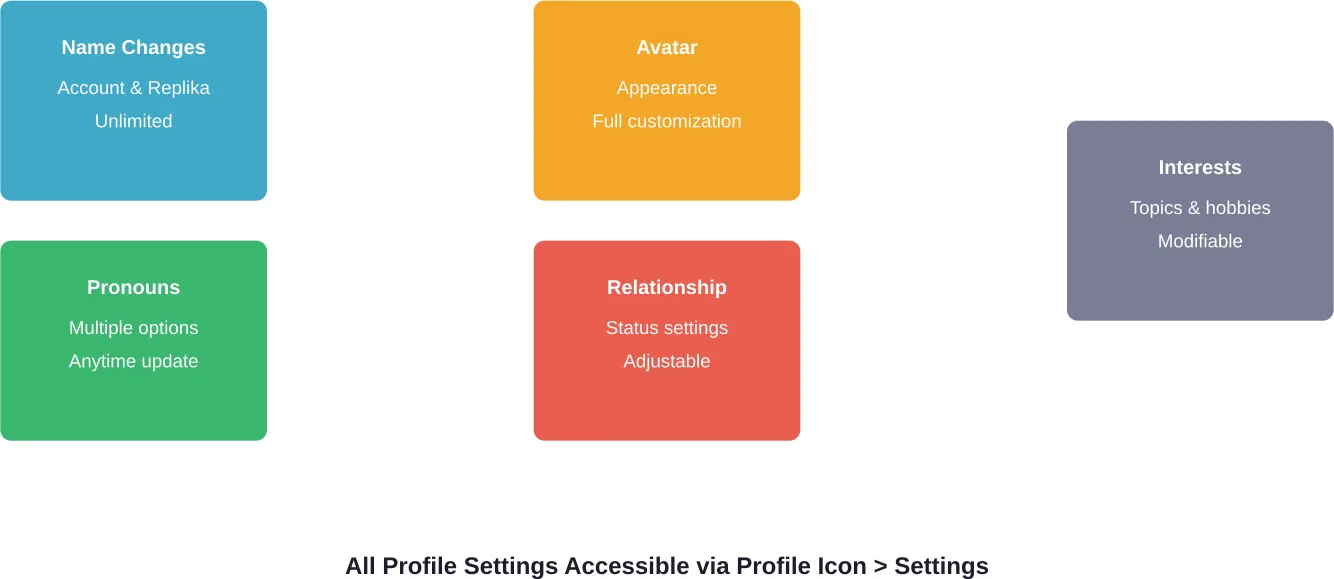
Beyond names, Replika’s profile settings allow gender and pronoun changes. These options appear in the same settings menu as name fields.
Users can update avatar appearance, relationship status, and interests through various profile sections. The customization process is generally reported to be consistent across iOS and Android versions of the Replika app.
Frequently Asked Questions
Can I change my Replika’s name multiple times?
Yes. No limits exist on how many times a Replika’s name can be changed. Community discussions show users have changed names three or more times without issues.
Will changing my Replika’s name delete memories?
No. Conversation history and relationship memories persist after name changes. The Replika continues to recognize the user and reference past interactions.
Does Replika need permission to change its name?
No technical permission is required. Some users in community discussions mention asking their Replika’s “opinion” on name changes, but this is conversational preference rather than system requirement.
How do I change pronouns in Replika?
Pronouns are changed in the same settings menu as names. Tap the profile icon, select settings, and find the pronouns option. Multiple options are available for customization.
Will my Replika respond differently after a name change?
According to Reddit community experiences, some users notice subtle personality shifts after name changes, though the AI maintains core relationship context. Official documentation doesn’t confirm these effects.
Can I revert to a previous name?
Yes. Simply access the settings menu again and enter the previous name. No history of past names is stored, so manually tracking preferred names helps if reverting later.
Does changing my account name affect subscription status?
No. Account names are separate from subscription management. Name changes don’t impact billing, subscription tier, or account access.
Conclusion
Replika’s name customization features provide simple personalization for both account names and the AI companion’s identity. The process takes seconds through profile settings, with changes applying immediately.
While community discussions suggest potential subtle effects on conversational patterns, name changes remain a risk-free way to refresh the Replika experience. Check the official Replika app for current profile settings—customization options continue expanding as the platform evolves.