
Canceling any subscription shouldn’t feel like a puzzle, and Muah.AI is no exception. Whether you signed up out of curiosity, tested the waters with VIP features, or just feel like taking a break, knowing how to cancel properly saves you time and frustration.
In this guide, we’ll walk through the exact steps to cancel your Muah.AI membership and explain what happens after, including refunds, support response, and what to expect if you’re still mid-billing. No fluff. Just answers.
What Is Muah.AI and Why You Might Want to Cancel It
Muah.AI is an interactive AI companion platform that combines text and voice interaction with visual responses. It lets users engage with a customizable AI character that can reply through text and, in some cases, generate or send images as part of the conversation.
While the platform includes a free tier, features like expanded memory and voice replies are part of the VIP subscription. Some tools, such as voice interaction, are only available to a subset of VIP users with GPT-4 access.
Some people sign up out of curiosity. Others dive deep into building a digital companion and only later decide it’s time to step away. Whether it’s the subscription cost, a shift in interests, or just cleaning up your digital footprint, canceling Muah.AI should be straightforward. And while it mostly is, there are a few things worth knowing before you click that cancel button.
Switching Gears? Here’s Where R34.app Comes In
If you’ve been using Muah.AI for its adult-themed interactions or NSFW roleplay capabilities, you might also be familiar with sites likeR34.app. We run a dedicated platform for browsing Rule 34 content, offering a fast, curated experience that brings together hentai images, GIFs, and animations tied to popular fandoms like Genshin Impact and Overwatch. It’s built for people who want more control over what they browse and how they explore different tags, trends, or characters.
We know that when someone decides to cancel their Muah.AI subscription, it’s not always because they’re walking away from this kind of content entirely. Sometimes, it’s just about wanting a more visual, streamlined experience, or shifting toward something with clearer content discovery tools. That’s part of the reason we keep things accessible with filters, saved history, and a straightforward tag-based layout. If you’re looking for a space where you can simply browse without building a full AI relationship, we’re here when you need us.
Step-by-Step: How to Cancel Your Muah.AI Subscription
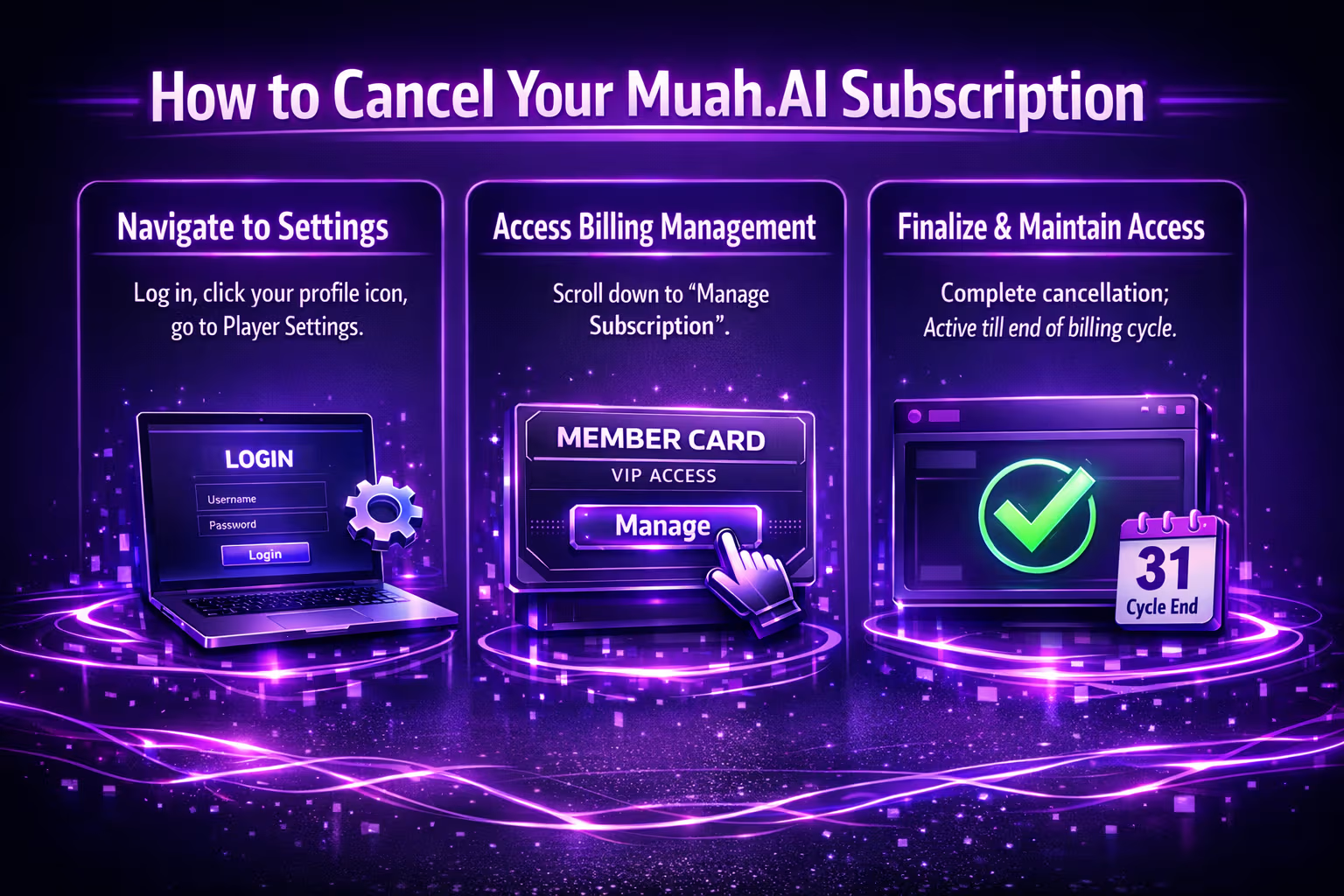
Here’s what you’ll need to do to cancel your Muah.AI VIP subscription from inside the platform:
- Log in at muah.ai using your account credentials.
- Click your profile/settings icon (usually top right).
- Go to Player Settings.
- Scroll to the Billing Management section.
- Click on the “Purchase VIP” or “Manage Subscription” button.
- Depending on your payment method, you’ll be taken to either Stripe or another third-party billing portal.
- From there, cancel your active subscription.
Muah.AI confirms that users can cancel anytime directly through their settings or payment provider. Once canceled, your access to premium features will remain active until the end of your current billing cycle.
Does Muah.AI Offer Refunds?
This is where things get a little tricky.
The official policy is no refunds. All purchases are marked as final by default. Muah.AI operates as a premium service and, according to their Terms of Service, cannot sustain the platform by offering full refunds freely.
However, there is room for exception.
According to Muah.AI: “Upon good faith of the consumer and given special circumstances, our customer support team can issue a one-time exception, partial refund or even full refund.”
This means if you accidentally subscribed or had a genuine issue, it’s worth reaching out. But if you attempt a chargeback or open a dispute without contacting support, they reserve the right to counter it using all available evidence.
How to Request a Refund (If Applicable)
If you believe your case qualifies, here’s what to do:
- Email [email protected].
- Include the email associated with your account, a brief explanation of your situation, date of the charge and amount, and payment method used (e.g. Stripe, Apple, Google Play).
- Wait for a reply. They typically respond within a few business days.
While there’s no guarantee, users who reach out respectfully and explain their case sometimes receive a refund or credit.
What Happens to Your Data After Cancellation?
Muah.AI doesn’t automatically delete your data when you cancel a subscription. Canceling stops the billing, but your account, memory logs, companion preferences, and history remain on file.
If you want to fully wipe your presence from the platform, you’ll need to take extra steps.
Here’s how to request deletion:
- Email [email protected] with a subject like “Request for Account Deletion.”
- Include your account email and a confirmation that you want all data erased permanently.
Alternatively, you can try using the in-app settings or contact form if available.
Common Mistakes People Make When Canceling
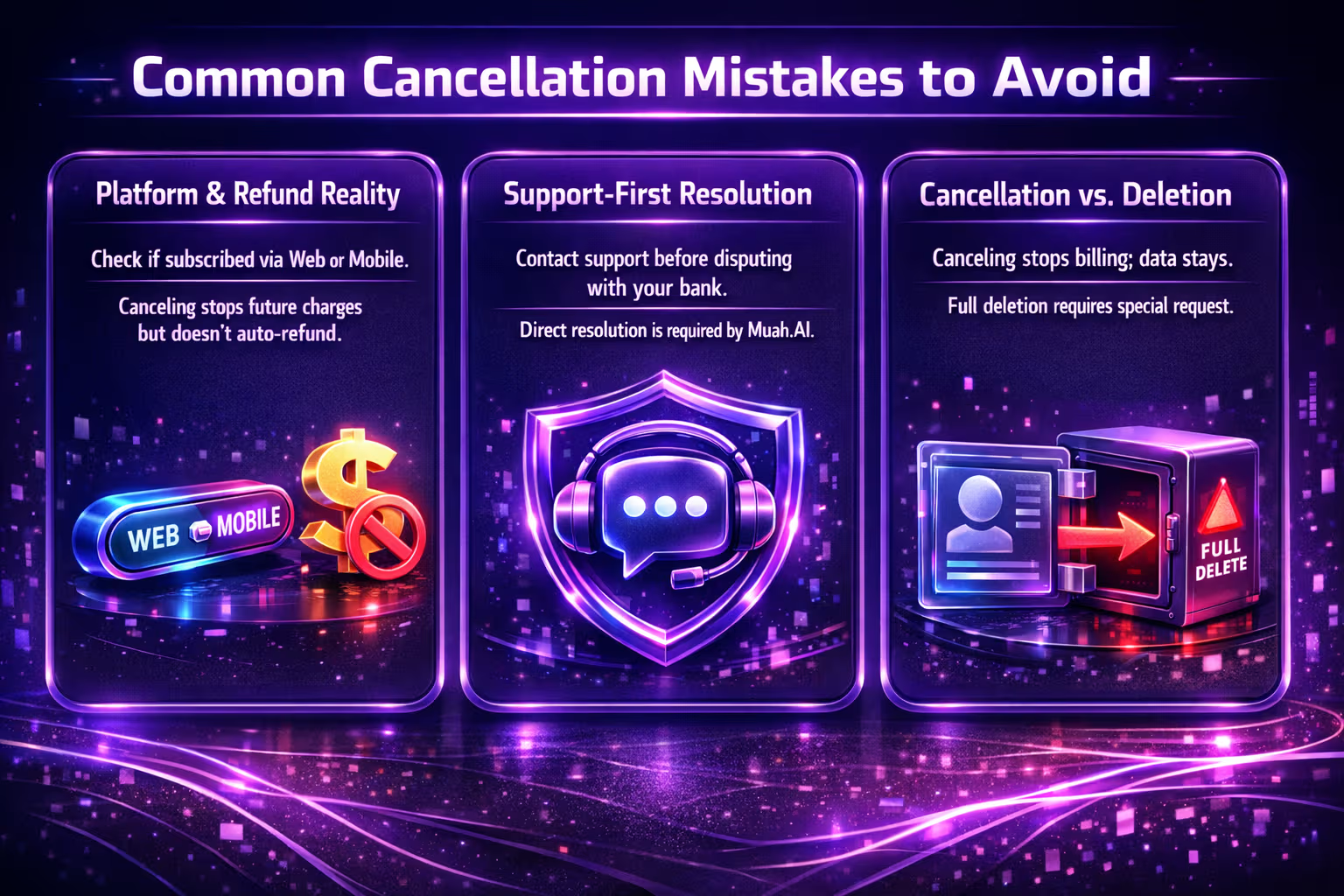
Let’s be honest, canceling subscriptions can sometimes turn into a scavenger hunt. These are a few common slip-ups to avoid:
Forgetting Where You Subscribed (Web vs Mobile)
It sounds basic, but it happens all the time. You might think you subscribed through the app, but Muah.AI actually processes subscriptions directly on their website. Always check your account settings before going in circles with Apple or Google support.
Expecting an Automatic Refund After Cancellation
Canceling stops future charges, but it doesn’t trigger a refund for the current billing cycle. Muah.AI clearly states their subscriptions are non-refundable by default, so unless you’ve got a solid reason and reach out directly, don’t count on money coming back automatically.
Disputing Charges Before Contacting Support
If you go straight to your bank or payment provider without even emailing Muah.AI, you’re likely to hit a wall. They have a zero-refund stance in cases of chargeback abuse and will push back if you haven’t tried resolving things through their team first.
Assuming the Account Is Deleted After Canceling
Canceling VIP access is not the same as deleting your account. Your data, companion, and conversation history all stay intact unless you specifically request a full deletion. If privacy is your priority, take that extra step and contact support.
A little patience and the right info can save you the back-and-forth with support later.
What About Privacy?
Muah.AI claims to take privacy seriously. Conversations are encrypted via SSL and not publicly shared. That said, it’s important to remember.
Any content generated is stored and used to improve the platform. AI-generated photos, voice, and text from your companion remain associated with your account unless deleted. If you’re worried about stored memory, request full deletion.
For full peace of mind, especially if you’ve shared personal or sensitive content with your companion, go beyond just canceling and formally request deletion via support.
A Few Things to Know Before You Cancel
Before you hit that unsubscribe button, consider:
- The VIP tier includes significantly expanded memory and may unlock access to voice reply features, depending on your plan level and model access.
- Your AI companion may behave differently once downgraded (especially in memory-driven interactions).
- If you’re mid-way through a billing cycle, you can still use VIP until it ends.
If you’re canceling just because of one bad interaction or bug, it might be worth restarting your companion instead. Muah.AI has a built-in command called “Restart123” that wipes companion memory and starts fresh.
Can You Pause Instead of Cancel?
Currently, Muah.AI doesn’t offer an official “pause” feature for subscriptions. If you cancel, you lose access to VIP features once your current billing period ends.
However, since your account data stays intact, you can return later and pick up where you left off – your companion, memory, and conversation history will still be there unless you request deletion.
Final Thoughts
Canceling Muah.AI is relatively easy if you know where to look and how to do it. The key is knowing whether you subscribed through the site or via a mobile app. After that, it’s just a matter of clicking through the right screens or emailing support if you need to go further.
But if you’re only taking a break, your companion’s memory will stay intact unless you reset it or request deletion, so you can pick up the interaction later.
FAQ
Can I cancel Muah.AI anytime, or do I have to wait until the end of my billing cycle?
You can cancel your subscription whenever you want. Just know that access to VIP features will stay active until the end of the period you already paid for. There’s no “pause” feature, but you won’t be charged again unless you manually resubscribe.
Will Muah.AI delete my data when I cancel?
No, canceling doesn’t automatically erase your data. Your companion, memory logs, and settings stay saved unless you specifically request deletion. If you want everything wiped, you’ll need to email their support team and ask for a full account removal.
I don’t remember how I paid. How can I check?
The easiest way is to log into your Muah.AI account and look under Player Settings > Billing. If you see a Stripe or billing portal link, it means you paid through the website. If you’re still not sure, just contact their support team at [email protected].
Is it possible to get a refund after canceling?
Officially, no. Muah.AI lists all subscription payments as non-refundable. That said, if there was a mistake or unique situation, you can email them and explain. In some cases, they’ve granted one-time exceptions, but it’s not guaranteed.
Do I lose my companion when I cancel?
Not unless you delete your account. Your companion stays right where you left them, with all the saved conversations and memory intact. If you return later and resubscribe, it’ll be like picking up an old conversation you never quite finished.
I tried canceling but hit a bug. What should I do?
Bugs are usually logged automatically on their side, but it’s always smart to reach out just in case. Email [email protected] and let them know what happened. Include screenshots if you can. They’re generally responsive within a few business days.
Why do some people switch from Muah.AI to R34.app?
Some users want a more visual-first experience or just prefer browsing without the interactive roleplay features. That’s where R34.app comes in. It offers a clean, tag-based interface for exploring content without needing to build or manage a digital companion.